What is Twilio? Detailed guide to creating a Twilio account for beginners
Thu Huyen
532 views
Table of Contents
In an era where customer communication primarily takes place via the Internet, businesses need tools that are more flexible than relying solely on traditional telephones. One of the most popular and powerful solutions currently available is Twilio - a global telecommunications infrastructure platform trusted by millions of businesses.
If you've ever heard of "making calls over the Internet" or "integrating a call center into software," it's very likely that Twilio technology is behind it.
To better understand how a virtual call center works, you can refer to the following article: What is a Cloud Call Center? How it works, its benefits, and why you should use Twilio.
What is Twilio?
Twilio is a cloud-based communication platform (Communication Platform as a Service – CPaaS).
Simply put, Twilio allows you to make calls, send messages, authenticate users, or create a virtual customer service call center – all via the Internet and APIs, without the need for your own hardware infrastructure.
Key services of Twilio include:
- Voice: Make calls, receive calls, record and manage calls over the Internet.
- Messaging: Send SMS, WhatsApp, or multi-channel messages to global customers.
- Video: Integrate video calls into your website or application.
- Verify: User authentication services (OTP, 2FA).
- Email (SendGrid): Send transactional emails and marketing emails with high inbox rates.
- Access https://www.twilio.com/try-twilio
- Fill in Name, email, password, Or register quickly using your Google account.
- Confirm email via the Twilio link sent to your inbox.
- “What do you want to build with Twilio?”
- “Which channels do you plan to use?”
- Voice If you want to make calls, receive calls, or build a virtual call center.
- Messaging If you are interested in SMS or WhatsApp.
- Email If you need a transactional email service (SendGrid).
- View account information (Account SID, Auth Token).
- Manage phone numbers (Buy / Active Numbers).
- Configure Voice, Messaging, Verify...
- Monitor activity logs and reports.
- You can purchase a new phone number.
- Make and receive real calls.
- Send international messages or SMS marketing as needed.
-
Small tip: When upgrading, Twilio will require payment method verification. Please ensure your card is accepted for international payments (or use Visa/Mastercard to ensure success).
Benefits of having a Twilio account
Flexibility and cost savings
Instead of investing in a physical PBX, separate lines, or SIM cards, you only need to create a Twilio account to deploy a virtual PBX, SMS, or user authentication system.
Pay-as-you-go pricing makes it easy for small businesses to access and control their budget.
Global operation, no location restrictions
Twilio supports Supports over 180 countries – you can buy international phone numbers and contact customers anywhere, whether you're working in Vietnam or abroad.
Easy integration with other software
Twilio has an open API, easily connecting with CRM, ERP, chatbot systems, or your own developed platform.
This allows you to manage contacts, customers, and communication data in one place.
High reliability & International standard security
Twilio is trusted by many large corporations (Airbnb, Netflix, Lyft...).
The system meets standards ISO 27001, SOC 2, PCI DSS, GDPR, ensuring user data is always secure.
Suitable for all business sizes
Whether you are a small business owner, a startup, or a medium-sized or large company, Twilio has a suitable service package – from trial to professional operation.
Conclusion
Twilio is the starting point for your business Actively control your communication system – flexible, modern, and cost-effective.
With just a few minutes of registration, you can immediately own a “mini call center” on the cloud platform, ready to make calls, send messages, or verify users anywhere.
If you want to learn how to apply Twilio in multi-channel operations and customer care, please refer to the following article: Optimize every touchpoint on the customer journey with GTG CRM's Omnichannel Messaging.
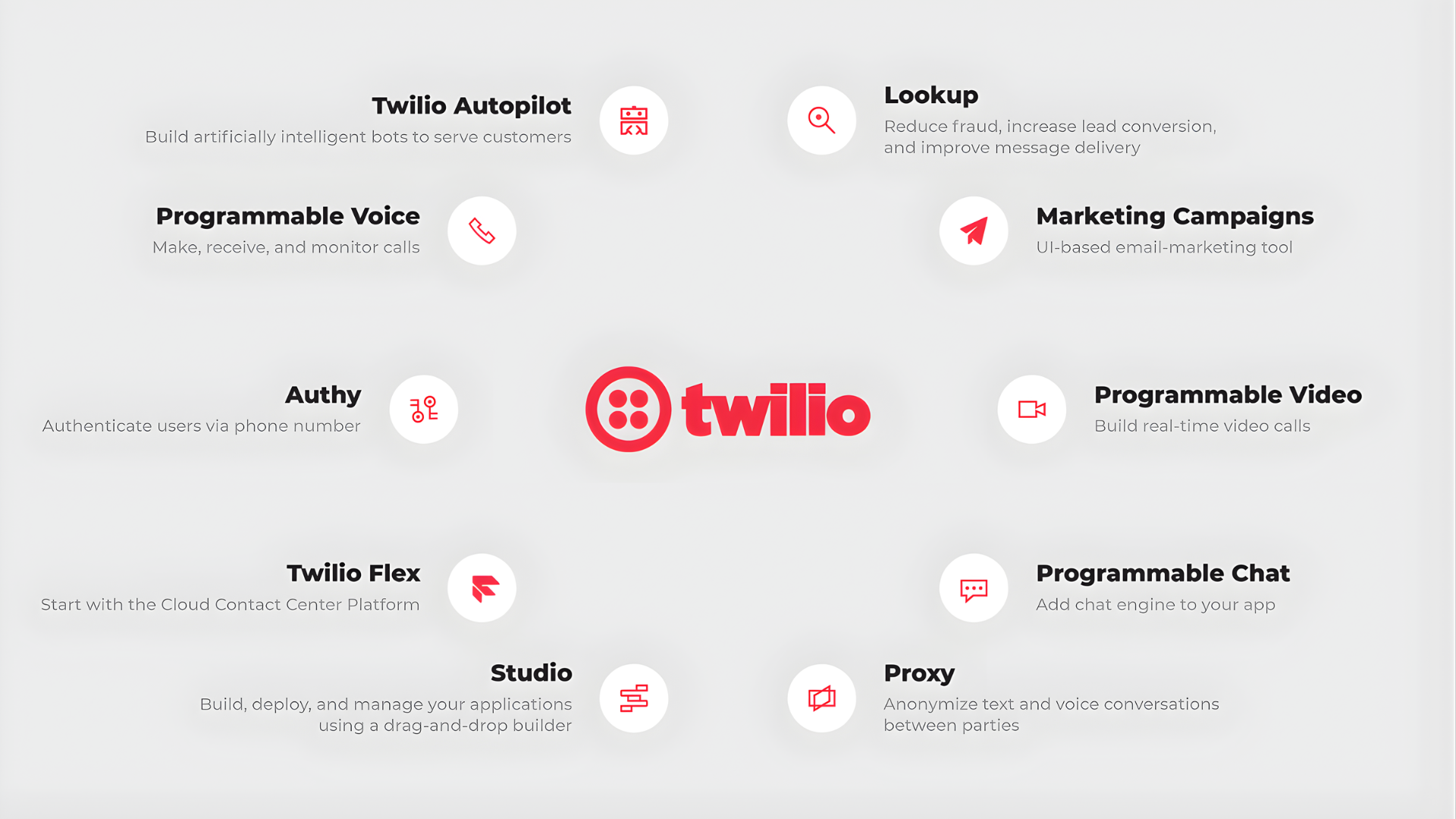
Twilio Services
With Twilio, businesses can build their own communication infrastructure, customized to scale and needs, without renting a PBX or installing complex software.
If you are interested in other multi-channel messaging management solutions, see this article: 7 best multi-channel messaging management tools currently available.
Detailed instructions on how to create a Twilio account
Step 1. Register an account
Step 2. Verify your personal phone number
After logging in, Twilio will ask you to enter your phone number to send a verification code (OTP).
This step increases security and activates your trial account.
Step 3. Receive Recovery Code Code)
After verification is complete, Twilio will display Recovery Code - a backup code to restore access if you lose your verification device or experience a security issue.
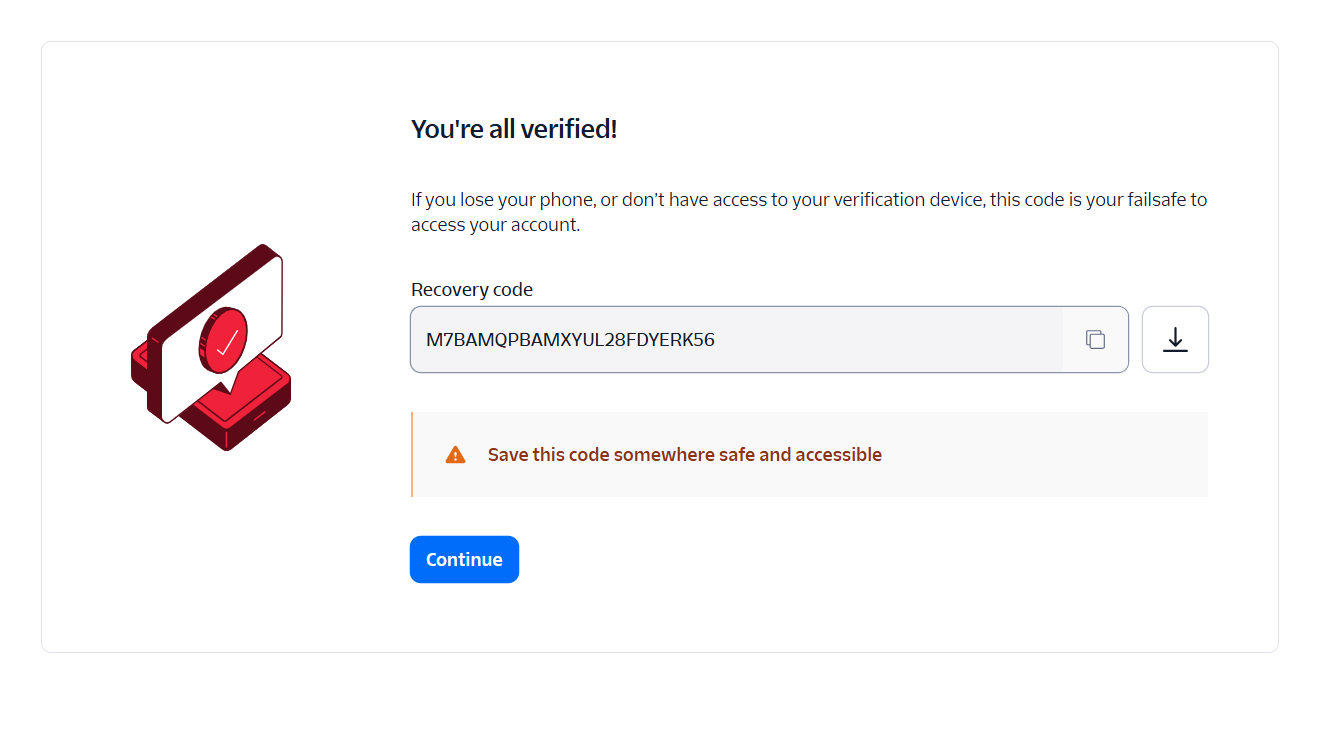
Receive your Twilio Account recovery code
This code is only displayed once. Please store it securely in your password manager or personal security notes.
Step 4. Personalized Onboarding Experience
After creating your account, Twilio will take you to the “Personalized Onboarding” section.
Here, the system asks you a few questions to customize your experience, for example:
You can choose according to your purpose, for example:
There is no “right” or “wrong” answer - just choose according to your actual needs.
Step 5. Explore the Twilio Console
After completing onboarding, you will be taken to Twilio Console -the main administration page.
Here, you have Keywords:
Step 6. Upgrade your Twilio account for real-world use
After completing the registration and verification process, your account is still in Trial Account status (for trial use), only allowing you to perform test operations or call verified numbers.
To start using Twilio for real-world purposes such as making voice calls, To send SMS messages or purchase international numbers, you need to upgrade your account by following these steps:
1. In the upper right corner of the interface, click on the Admin menu.
2. In the list, select Account billing.
3. On the Manage Billing page, click Upgrade Account.
4. Provide your information to Twilio and add a payment method - which could be a credit card or business account.
After completion, your Twilio account will be fully unlocked:
Maybe You Should Read These

Discover how GTG CRM turns emotional selling into a professional closing system

06 ways to build an optimal marketing & sales system with GTG CRM
Running Google Ads without understanding these 5 metrics means you're "burning money" instead of making money!

What is Prompt AI? How to write effective content with AI

The secret to building a sales process that helps triple your orders